

Step 1
install
SessionPort is a universal macOS build. It needs the Claude Code CLI on your machine, because live state and session control both go through it.
- Download the
.dmgfrom this site — coming soon, macOS only — and drag SessionPort to Applications. - Open it once from Finder with right-click → Open, so Gatekeeper records your consent.
- Confirm the CLI is on your PATH:
claude --version. If it is installed somewhere unusual, set the path in Settings → CLI.
SessionPort reads ~/.claude, or CLAUDE_CONFIG_DIR when that variable is set. It never writes into it.
Step 2
first run
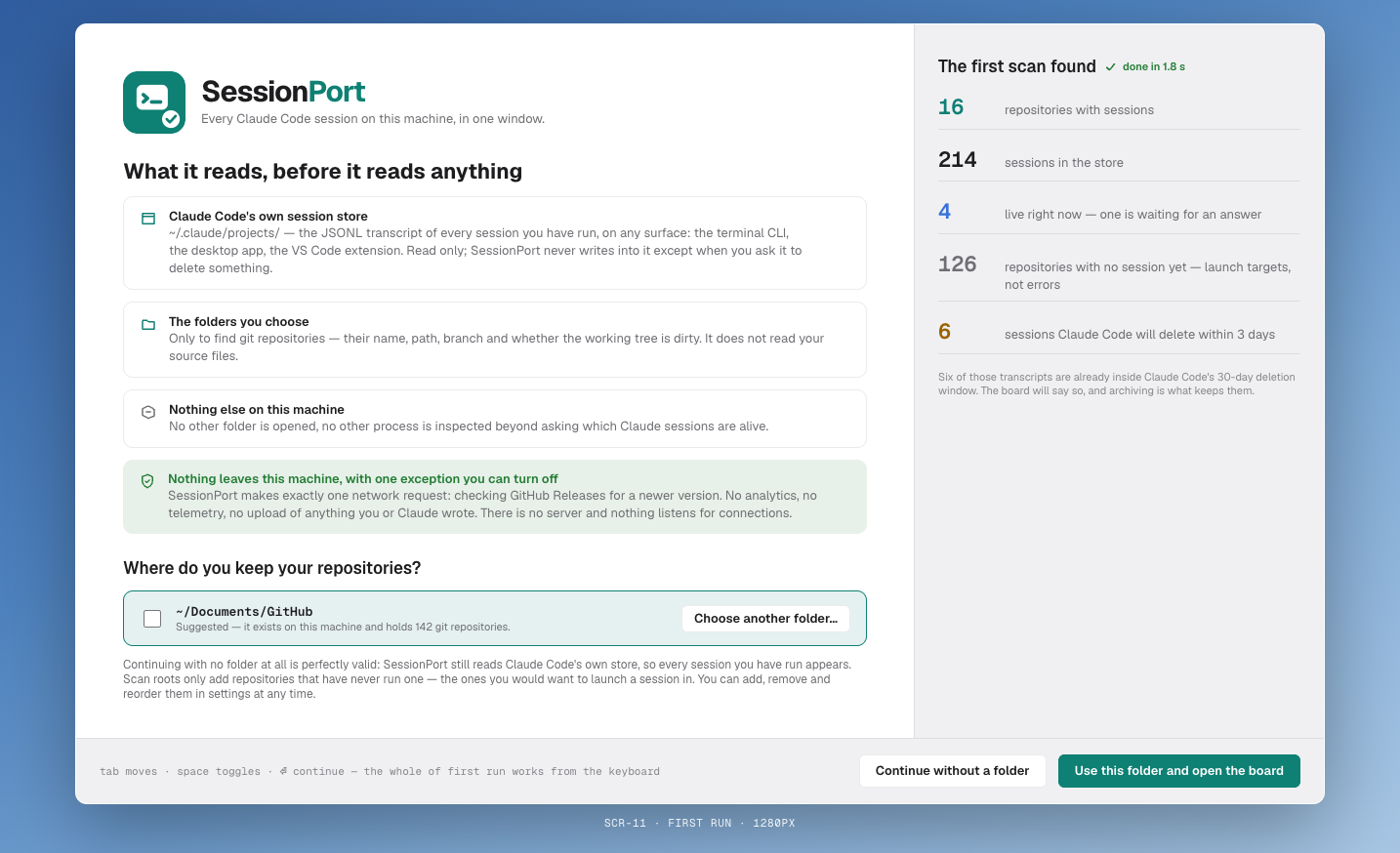
On the first launch the app checks three things and shows you the result of each, so nothing about your setup stays implicit.
If a check fails, the app says which one and what to do about it, then lets you continue with the part that works — a missing CLI still leaves you the historical inventory.
Step 3
the board
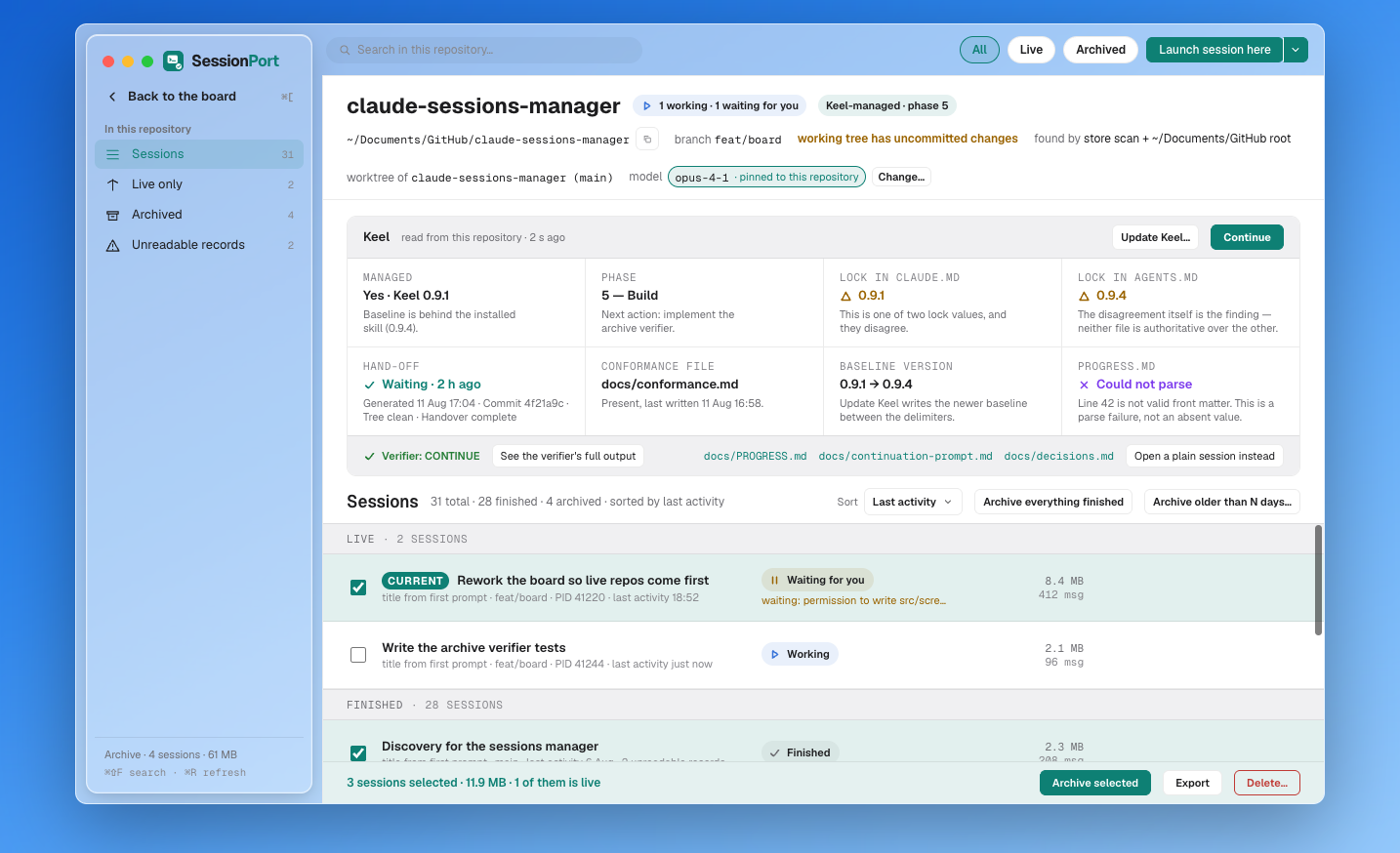
The landing view is one row per git repository. Repositories are derived from your sessions: each session's working directory is resolved up to the git top level and grouped there. You can also add a repository that has no sessions yet, and start one from it.
- Sort by live state, last activity or name.
- Filter to running now, waiting for you, idle, Keel-managed or archived.
- Open a row to get everything about that repository in one screen.
Step 4
live states, and what each one means
A repository with no live session says so plainly. That quiet state is the common one and it is meant to read as calm, not as an error.
Step 5
sessions: resume, stop, name
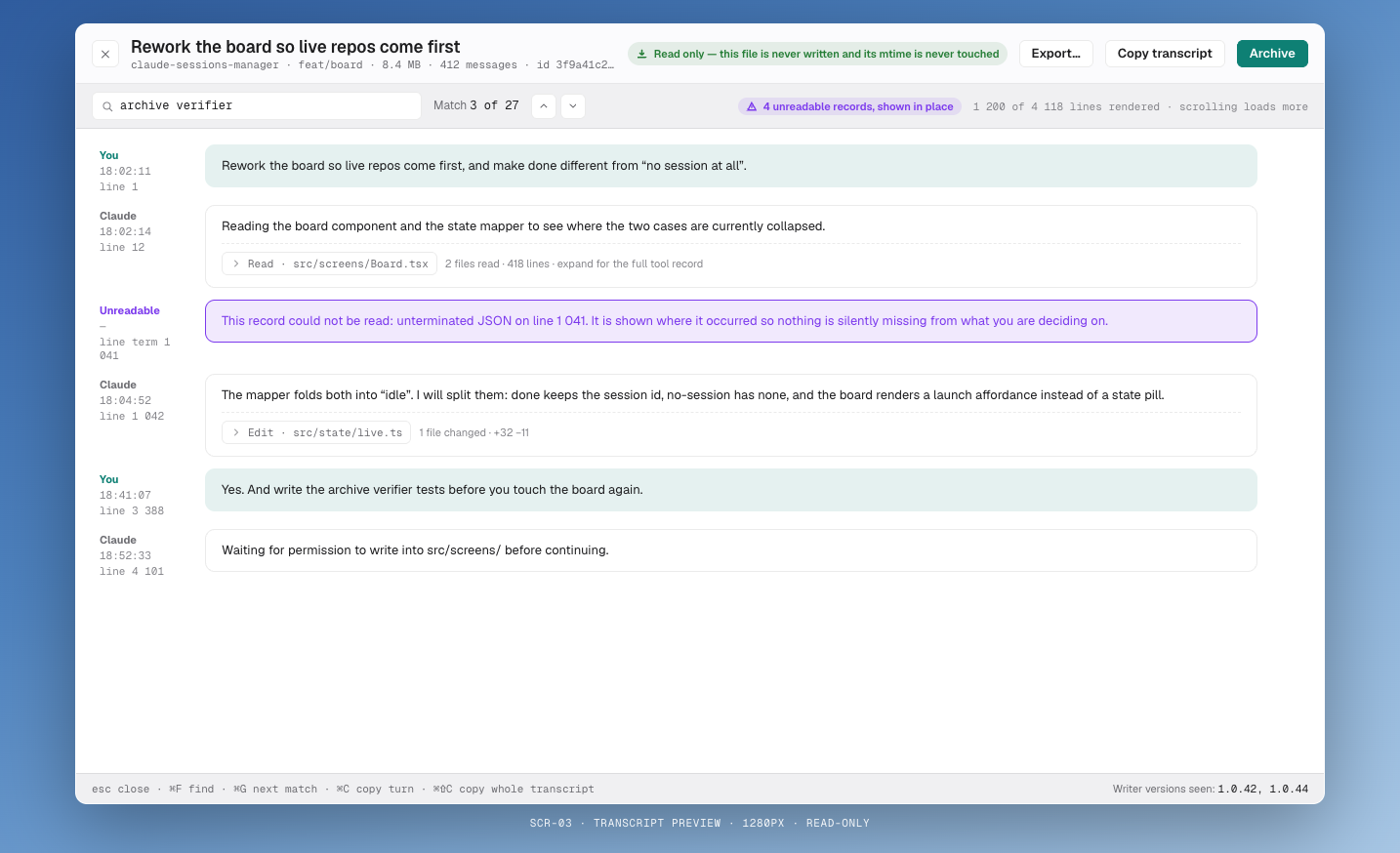
- Resume reopens the session in a terminal at the repository root, with the session id passed through.
- Stop calls
claude stop <id>. There is no raw signal to a pid, ever. - Rename replaces the title derived from the first prompt with something you will recognise in a month.
- Preview opens the transcript read-only, so you can check which thread this is before resuming it.
Subagent transcripts (agent-*.jsonl, or records flagged isSidechain) are excluded from the session list. They belong to a parent session, not beside it.
Step 6
archive and restore
Claude Code deletes transcripts once cleanupPeriodDays has passed — thirty days by default. Archiving in SessionPort copies the .jsonl into the app's own store first, then hides the session. Archiving is a rescue, not a deletion.
- In a repository view, select the sessions, or use Archive finished.
- For a sweep, use Archive older than and give a number of days.
- Review the count in the confirmation. It says exactly how many transcripts will be copied.
- To bring one back, open Archived and choose Unarchive. The transcript returns intact.
Delete is separate, always confirmed, and tells you what it removes. Nothing else in the app destroys data.
Step 7
the keel layer
If a repository is managed by Keel, SessionPort reads that state from disk rather than guessing it: docs/PROGRESS.md for the phase and next action, the KEEL:BEGIN stamp in CLAUDE.md and AGENTS.md for the version, docs/continuation-prompt.md for a waiting hand-off, and docs/keel-conformance.md for completeness.
continue
- SessionPort runs
scripts/keel-handoff-verifyin the repository. - VERDICT: CONTINUE — it launches a session with the absolute path of the continuation prompt, following the card's
Chaining:value:prefilltypes the instruction,startsubmits it. - VERDICT: STOP — it does not launch. It shows what disagreed (stale commit, dirty tree, hand-off from another checkout) and offers a plain session that resumes from
docs/PROGRESS.md. - No verify script in the repository — it says so and offers the plain session.
Refusing to launch on a stale hand-off is the feature. Acting on one is the failure Keel's courier checks exist to prevent.
add or update keel
- Writes the portability lock into
CLAUDE.mdandAGENTS.md, creating either file if absent and only ever between theKEEL:BEGIN/KEEL:ENDdelimiters. - Optionally embeds the skill at
.claude/skills/keel/and.agents/skills/keel/. - Adds the standard
.gitignoreentries. - Leaves everything staged, shows the diff, and commits nothing.
The whole layer is a flag in Settings, on by default. Switch it off and repositories that never heard of Keel show no Keel widgets at all.
Step 8
search
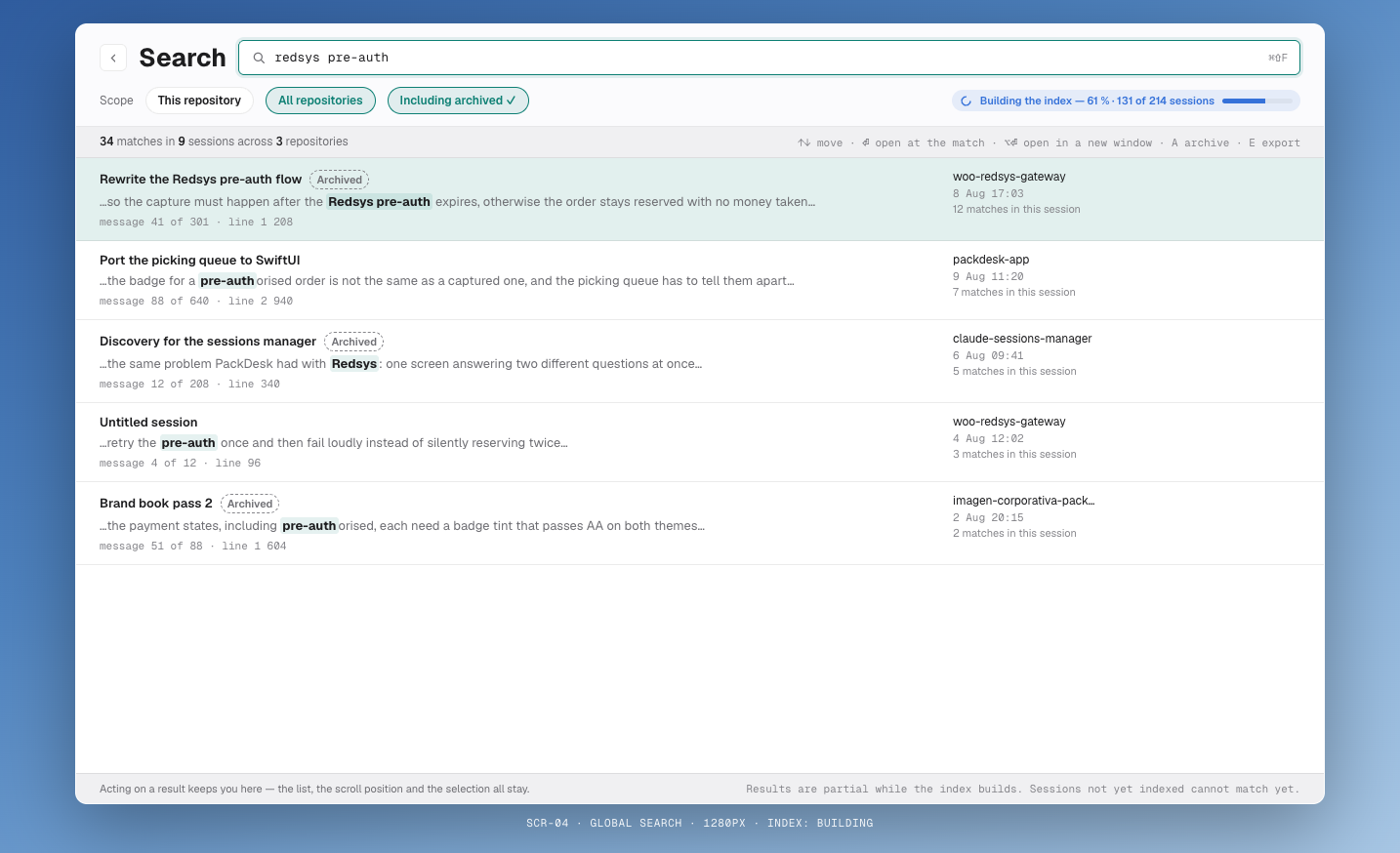
Global search looks inside transcripts, not only at titles, so you can find a session by something that was said in it. Scope it to one repository, to all repositories, or to include archived sessions. While the index is still building the field says so instead of pretending the results are complete.
Step 9
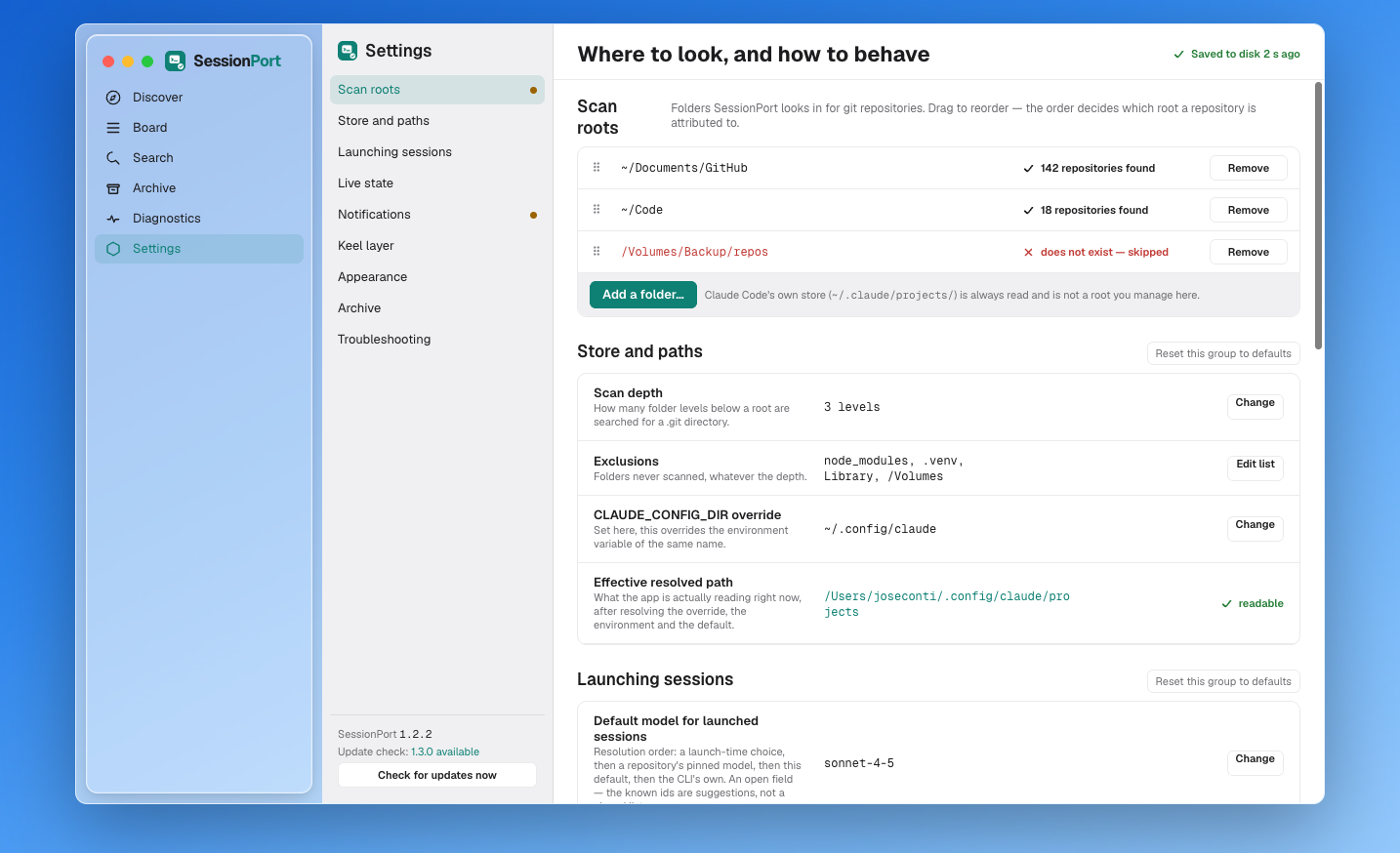
settings worth knowing
- CLI path — set it when
claudeis not on the PATH the app inherits. - Config directory — follows
CLAUDE_CONFIG_DIR; override it if you keep more than one profile. - Poll interval — how often live state is refreshed.
- Terminal — which terminal application resume and continue open.
- Keel layer — on or off.
- Reduce motion — follows the system setting, and can be forced.
Step 10
diagnostics
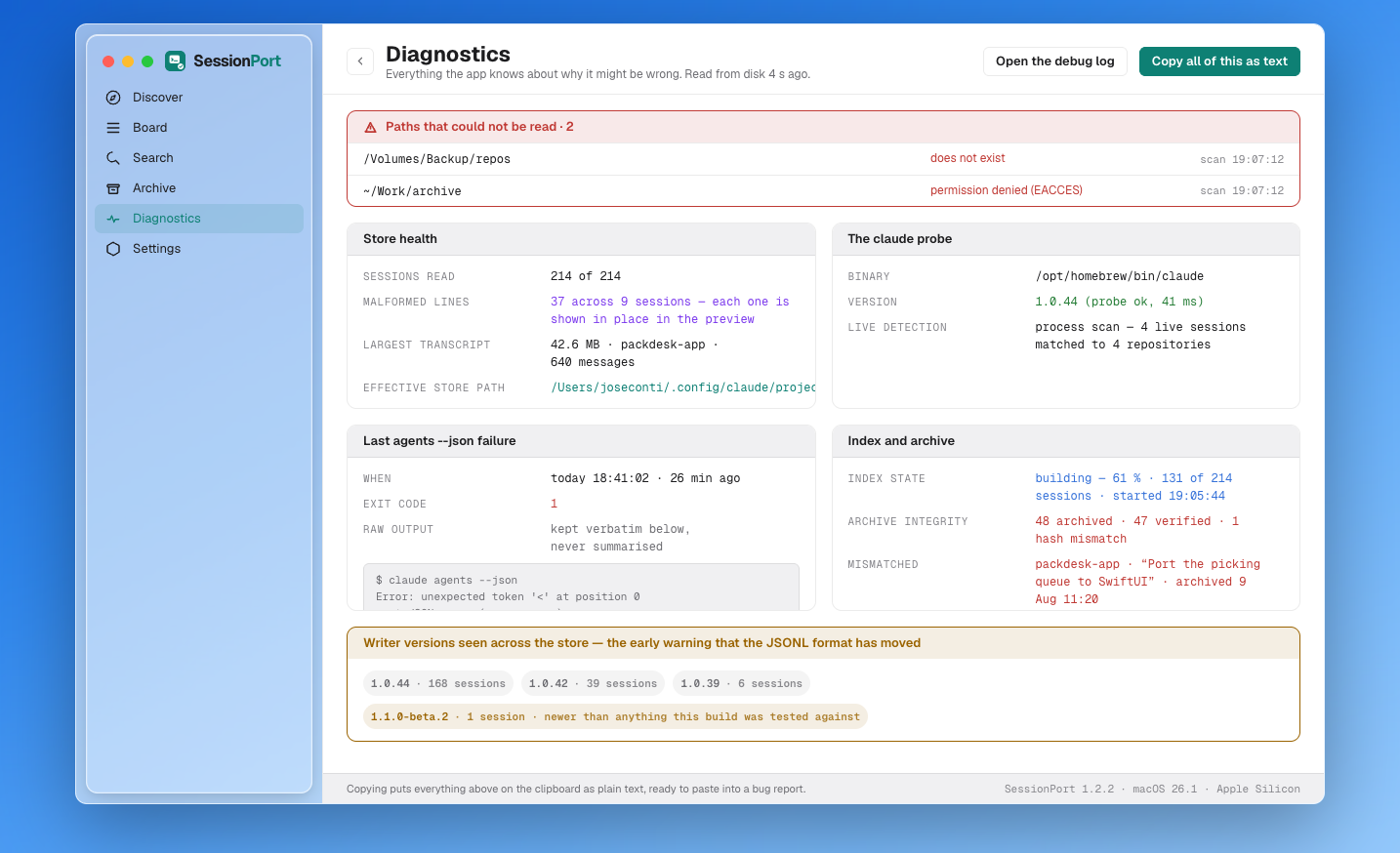
One screen that answers "why does the app see this and not that": the CLI binary and version it found, the config directory it reads, the archive store path, how many transcripts were indexed, which lines were skipped as malformed, and the version field that wrote each record.
cli        /opt/homebrew/bin/claude  2.4.1
config     ~/.claude
archive    ~/Library/Application Support/SessionPort/archive
indexed    148 transcripts · 12 repositories
skipped    2 malformed lines (session 8f3c…, lines 412, 977)
Step 11
troubleshooting
no live state anywhere
The CLI was not found or returned nothing. Check Diagnostics, then run claude agents --json in a terminal and compare.
a repository is missing
It has no sessions yet, or its sessions were cleaned up. Add it explicitly from the board.
sessions appear under a strange path
Grouping uses the cwd inside the transcript, never the encoded directory name. If a path looks wrong, the session was started from a different checkout.
continue refuses to launch
That is the verdict, not a bug. Commit or stash the tree, regenerate the hand-off, then try again — or open the plain session.
a transcript will not open
The parser skips malformed lines and lists them in Diagnostics. The rest of the transcript still opens.
ready to see your own board?
Download for macOS